 Figma
Figma Adobe XD
 Sketch
 Discord
 Twitter
 GitHub


 ブログ
ブログ
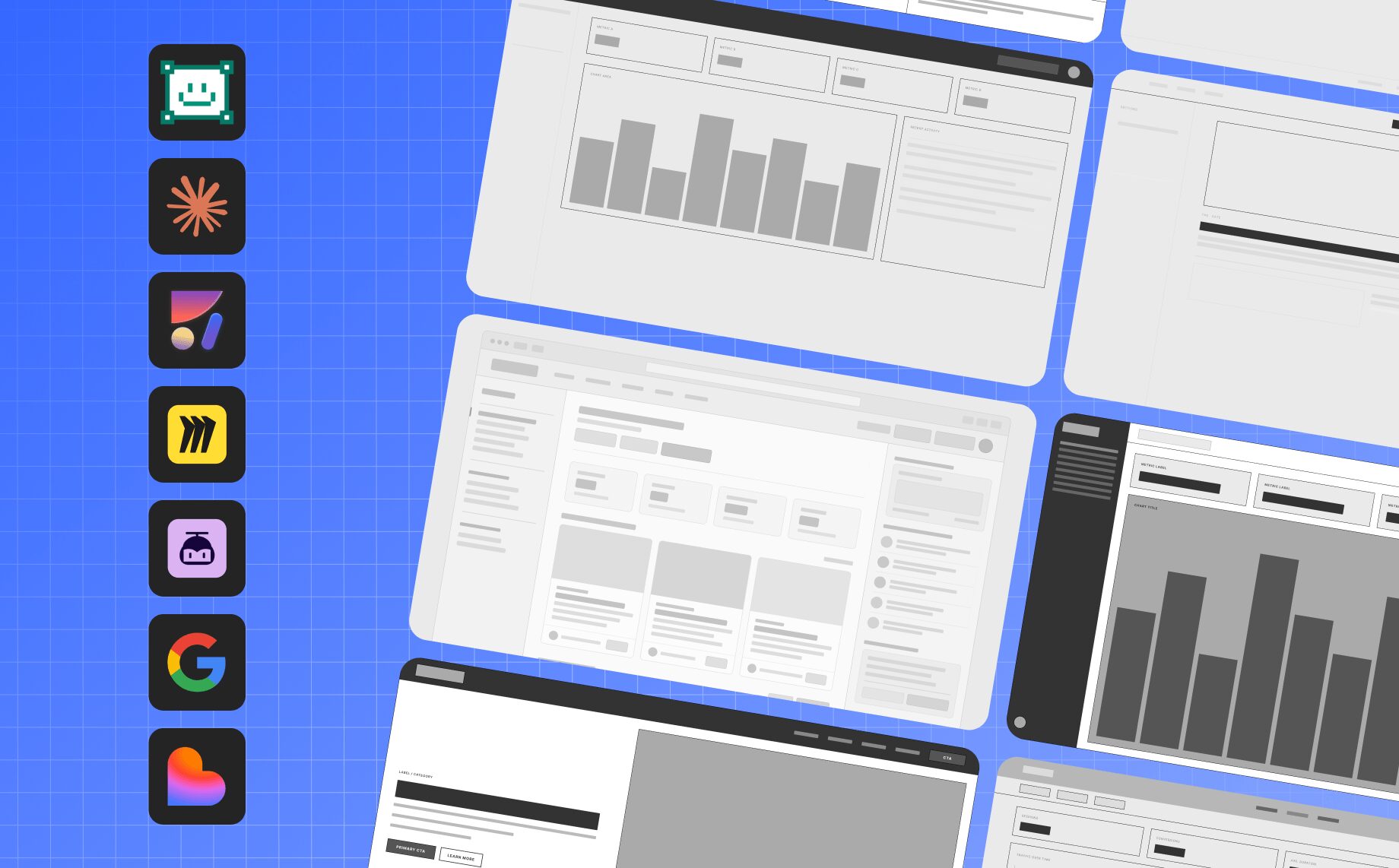
ワイヤーフレーム ソフトウェア: 2026 年の 7 つのベスト AI ワイヤーフレーム ツール2 min read
Reading Time: 5 minutesワイヤーフレーム ソフトウェアは、単純なボックスや静的な画面スケッチをはるかに超えています。 2026 年、最高の AI ワイヤーフレーム ツールは、チームがワイヤーフレームを設計し、製品フローをマッピングし、Figma 内で作業し、デザイン システムを適用し、初期のアイデアを実用的な製品エクスペリエンスに変えるのに役立ちます。
製品チーム向けのワイヤーフレーム ソフトウェア、Web サイト ワイヤーフレーム ツール、Web ワイヤーフレーム ツール、または Figma ワイヤーフレーム ツールをお探しの場合、このガイドではデザイナー、プロダクト マネージャー、創設者、構築者向けの主要なオプションを比較します。
私たちは、生成品質、Web サイトと Web ページのワイヤーフレーム サポート、Figma サポート、デザイン システムの忠実度、編集制御、コラボレーション、コードのハンドオフ、エージェントの準備状況、実際の製品ワークフローの適合性に基づいて、最高の AI ワイヤーフレーム ツールをレビューしました。
デジタル製品を構築するチームにとって、重要な質問はもはや「どのツールがワイヤーフレームを描画できるか?」ということだけではありません。それは、「サイトのワイヤーフレームやウェブページのワイヤーフレームから、現実的で編集可能なブランドに沿った製品エクスペリエンスに移行するのに役立つワイヤーフレーム ソフトウェアはどれですか?」
2026 年のベスト ワイヤーフレーム ソフトウェアと AI ワイヤーフレーム ツール: クイック比較
| ツール | 出力 | Figma サポート | コードハンドオフ | |
|---|---|---|---|---|
| Anima Playground | Web サイト、アプリ、製品プロトタイプ用の AI ワイヤーフレーム ソフトウェア | ウェブサイトのワイヤーフレーム、React アプリ、プロトタイプ、およびホストされた製品エクスペリエンス | Figma の深い統合 | はい |
| Buddy – Anima による Figma デザイン エージェント | Figma 内で直接 AI ワイヤーフレームを作成 | 編集可能な Figma ワイヤーフレーム、フロー、画面、コンポーネント | ネイティブ Figma ワークフロー | はい、Anima ワークフロー経由 |
| Claude Design | プロンプトからの迅速なビジュアルコンセプト | プロトタイプ、ビジュアル、モックアップ、およびプレゼンテーション | 本来は Figma ネイティブではありません | Claude Code ハンドオフ |
| Miro AI Canvas | 発見、ワークショップ、共同ワイヤーフレーム | ボード、フロー、図、初期のワイヤーフレーム | 間接 | 限定 |
| UXPilot | UX フローと AI で生成されたワイヤーフレーム | ワイヤーフレーム、ユーザー フロー、および Hi-Fi 画面 | Figma 指向のワークフロー | いくつかのエクスポート オプション |
| Google Stitch | 雰囲気のあるデザインと高速な UI 探索 | モバイルおよび Web UI 画面 | 輸出志向 | 開発者ツールのエクスポート |
| Lovable | ワイヤーフレームを実用的なアプリに変える | フルスタック アプリと MVP | スクリーンショットとプロンプトから作業可能 | 組み込みアプリの生成 |
Anima で AI ワイヤーフレームを試してみる
Web サイト、アプリ、または製品フローを説明すると、Anima がそれを編集可能なワイヤーフレームと実用的なプロトタイプに変換します。
1. Anima Playground
ワイヤーフレームを設計し、実用的な製品やプロトタイプに変えることができる AI ワイヤーフレーム ソフトウェアに最適です
Anima Playground は、プロンプト、Figma デザイン、画像、URL を機能的な製品エクスペリエンスに変えたい製品チーム向けの、デザインを意識した AI 環境です。 Web サイト、Web アプリ、ランディング ページ、内部ツール、製品フローのワイヤーフレームを設計し、編集可能なコードとライブ プレビューに進むことができます。
これにより、Anima Playground は、ワイヤーフレームを使い捨ての成果物にしたくないチームにとって、強力な Web サイト ワイヤーフレーム ツール、Web ページ ワイヤーフレーム ツール、および Web ワイヤーフレーム ツールになります。同じワークフローで、大まかなアイデアから開始し、サイトのワイヤーフレームを作成し、チャットで UX を調整し、動作する React プロトタイプに向けて進むことができます。
Anima Playground を使用すると、ワイヤーフレームを、コーディング エージェントやエンジニアリング チームに引き渡すことができる、動作する React アプリ、現実的なプロトタイプ、または製品エクスペリエンスにすることができます。
Anima Playground の得意分野
- ワイヤーフレームを動作する React アプリに変える
- Figma デザイン、プロンプト、または画像からの機能プロトタイプの作成
- 最初から始めるのではなくチャットを繰り返す
- 実際のフロントエンド構造による製品エクスペリエンスの構築
- 設計ワークフローを AI コーディング エージェントに接続
- MCP を使用して Cursor や Claude Code などのツールにコンテキストを渡す
Anima Playground が目立つ理由
多くの AI ワイヤーフレーム ジェネレーターは、ビジュアル モックアップで停止します。 Anima Playground はワイヤーフレーム ソフトウェアとして開始され、コード、プレビュー、公開、エージェントのハンドオフに進みます。
製品チームは実際の製品と同様に動作するプロトタイプをますます求めているため、これは 2026 年の大きな利点となります。 PM は共有できるものを望んでいます。デザイナーは、視覚的な意図を維持できるものを求めています。エンジニアは構造化されたコードと有用なコンテキストを求めています。 AI コーディング エージェントには読み取り可能な入力が必要です。
Anima Playground はこれらのニーズを 1 つのワークフローに結び付けます: React への UI からエージェントへのハンドオフへのプロンプト.
長所
- AI ワイヤーフレームと Figma デザインを実用的な製品エクスペリエンスに変換します
- 設計、コード、AI エージェント間の強力なブリッジ
- PM、デザイナー、創設者、エンジニアリング チームに最適
- MCP ハンドオフは、コーディング エージェントが設計コンテキストを理解するのに役立ちます
- 静的なモックアップだけでなく、実際の製品ワークフロー向けに設計
短所
- 迅速な低忠実度スケッチのみを求めているチームには、完全なワークフローは必要ないかもしれませんが、Buddy、Anima の Figma デザイン エージェントを使用することはできます
- チームがチェックされていない最終的な実装ではなく、出力を製品の出発点として扱うときに最良の結果が得られます
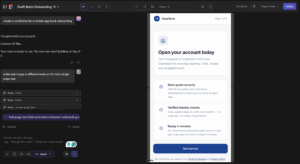
2. Buddy – Figma AI デザイン エージェント by Anima
Figma 内で直接 AI ワイヤーフレームを作成する場合に最適
Buddy – Figma AI は、Figma 内で直接動作する Anima の AI 設計エージェントです。ワイヤーフレームの作成、製品画面の生成、デザインの反復処理、および Figma キャンバス上での実際のアクションの実行が可能です。
Anima Playground が実用的な Web エクスペリエンスとなるワイヤーフレームの設計に最適な場合、チームが Figma キャンバス内で AI ワイヤーフレームを必要とする場合は、Buddy が最適です。
Buddy を使用して、Figma 内で画面、フロー、コンポーネント、バリアントを作成できます。これは、編集可能な設計ファイル、製品品質の構造、および設計システムの調整を必要とするチームに特に役立ちます。
Buddy の優れている点
- Figma で直接ワイヤーフレームを生成
- プロンプトからの製品画面とフローの作成
- デザイナーがすでに使用している同じキャンバス内のデザインを反復する
- コンポーネント、バリアント、レイアウト構造、視覚的階層の操作
- チームが忠実度の低いワイヤーフレームから洗練された UI に移行できるよう支援
- PM、デザイナー、エンジニアの連携を同じ設計ソースに合わせる
Buddy が目立つ理由
ほとんどの AI ワイヤーフレーム ツールは、最初のドラフト用に最適化されています。 Anima は、製品ワークフロー全体を最適化します。
最初の AI で生成されたワイヤーフレームが最終デザインになることはめったにないため、これは重要です。チームはフローを改善し、ブランド ルールを適用し、デザイン システムと調整し、Figma で共同作業し、エンジニアリングの引き継ぎを準備する必要があります。
チームが ブランド UI への Figma ワイヤーフレームへのプロンプトを作成し、動作する製品へのコーディングへ.
これは、ほとんどの AI ワイヤフレーム ツールが完全にはサポートしていないワークフローです。
長所
- Figma 内で直接動作します
- 編集可能なワイヤーフレーム、画面、フロー、デザイン構造を作成します
- デザインシステムを備えた製品チームに最適
- Anima の設計からコードまでのワークフローに自然に接続
- デザイナー、PM、エンジニアに役立つ
短所
- すでに Figma を使用しているチーム、または Figma ベースのワークフローに移行したいチームに最適
- AI で生成された他の設計と同様に、出力は製品と設計のレビューから恩恵を受けます
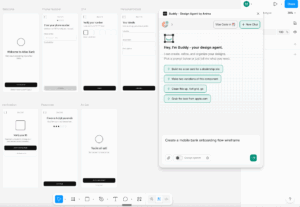
3. Claude Design
クロード エコシステム内の高速ビジュアルに最適
Claude Design は、プロンプトからビジュアル コンセプト、プロトタイプ、モックアップ、概要資料、およびその他の設計資産を作成するための Anthropic の AI 設計ツールです。
Claude Design は、従来の設計ツールではなく、AI アシスタント ワークフローから開始されるため、特に興味深いです。 PM、創設者、マーケティング担当者、またはオペレーターは、アイデアを説明し、視覚的なものをすぐに得ることができます。
Anthropic は、Claude Code へのハンドオフ パスを備えた Claude Design も配置しています。これにより、ビジュアル コンセプトからクロード エコシステム内での実装に移行したいチームにとって重要になります。
Claude Design の優れている点
- プロンプトからのビジュアル ドラフトの作成
- アイデアをプロトタイプとモックアップに変える
- 非デザイナーが視覚的な方向性を伝えるのを支援
- ブランドデザインアセットの生成
- Claude Codeハンドオフのパッケージ化作業
長所
- プロンプトからの高速ビジュアル生成
- Claude ユーザーと非デザイナーに最適
- チームがアイデアからプロトタイプに迅速に移行できるように支援できます
- Claude Code ハンドオフにより、実装へのブリッジが作成されます
短所
- 主に Figma ネイティブの製品設計ワークフローを中心に構築されていません
- 成熟した設計システムを使用するチームには追加の手順が必要な場合があります
- 出発点として最適ですが、必ずしも最終的な製品設計ガバナンスではありません
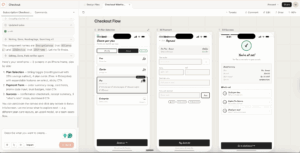
4. Miro AI Canvas
ワークショップ、発見、共同ワイヤーフレーム作成に最適
Miro AI Canvas は、製品探索中にワイヤーフレーム作成を開始するチームに役立ちます。 Miro は、テキスト プロンプトを基本的なワイヤーフレームに変換し、チームが初期のアイデア、図、付箋、製品フローを中心に共同作業できるように支援します。
これにより、Miro は、チームがまだユーザーの問題、フロー、要件、大まかな構造について調整している段階の、製品作業の煩雑な初期段階に非常に適しています。
Miro AI Canvas の優れている点
- 製品アイデアのブレインストーミング
- デザインワークショップの運営
- 初期の低忠実度ワイヤーフレームの作成
- ユーザー フローとジャーニーのマッピング
- ワークショップのメモを視覚的な構造に変える
- 詳細設計の前に関係者の調整を行う
長所
- 製品発見のための優れたコラボレーション キャンバス
- 初期のワイヤーフレーム、フロー、図、ワークショップに適しています
- 部門を超えたチームが使いやすい
- Figma またはコードに移行する前に強力にフィット
短所
- 最終的な UI デザインにとって最強の選択肢ではありません
- プロダクショングレードのコードハンドオフに限定
- チームは通常、検出段階の後に別のツールを必要とします
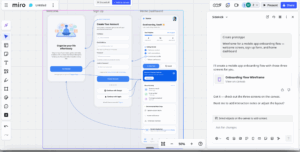
5. UXPilot
UX フローおよび AI で生成されたワイヤーフレームに最適
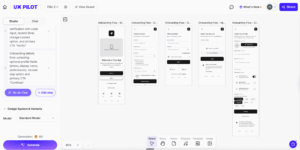
UXPilot は、ワイヤーフレーム、ユーザー フロー、UI 画面の生成に重点を置いた AI UX デザイン ツールです。これは、初期の UX 構造を迅速に作成したいデザイナー、創設者、製品チーム向けに構築されています。
UXPilot は、チームがプロンプトからワイヤーフレームを生成し、ユーザー フローを作成し、大まかなアイデアからより洗練された画面に移行するのに役立ちます。これは、AI UX カテゴリの中で最も重点を置いたツールの 1 つです。
UXPilot の優れている点
- テキスト プロンプトからワイヤーフレームを作成
- UX フローの生成
- ラフアイデアを画面コンセプトへ
- 複数の画面方向の探索
- 非デザイナーが製品の意図を視覚的に表現できるよう支援
長所
- UX ワイヤーフレームとフロー専用
- プロンプトから画面への高速ワークフロー
- デザイナーおよびデザイン以外の関係者に役立ちます
- 初期の画面探索に最適
短所
- 出力にはデザイン システムの調整が必要な場合があります
- Figma からコードへの完全な連続性は Anima ほど強力ではありません
- MCP とコーディング エージェントのハンドオフにはあまり重点を置かない
6. Google Stitch
雰囲気のあるデザインと UI の高速探索に最適
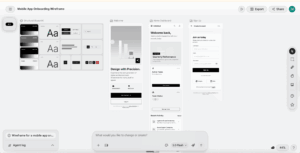
Google Stitch は、Web およびモバイル インターフェイスを生成するための Google の AI UI デザイン ツールです。 Google は、Stitch をモバイルおよび Web アプリケーション用の UI を生成し、デザインのアイデアを迅速かつ簡単に作成する方法として説明しています。
Google は用語 バイブデザイン ステッチ周り。すべての画面を手動で描画する代わりに、ユーザーは製品、スタイル、意図、UI の方向を記述し、AI を使用してインターフェイス オプションを生成できます。
Google Stitch の優れている点
- プロンプトから UI 画面を生成
- モバイルおよび Web アプリの概念の探索
- 視覚的なバリエーションを素早く作成する
- 雰囲気デザインとデザインアイデアに AI を使用
- Google エコシステムの開発者ツールに向けてコンセプトを移行
長所
- Web およびモバイル向けの高速 AI UI 生成
- 雰囲気のデザインと視覚的な探索に強い
- 初期の製品コンセプトに役立ちます
- Google の AI エコシステムによる支援
短所
- デザインの方向性がなくても、出力が汎用的に感じられる可能性がある
- 主に既存の Figma 設計システムを中心に構築されていません
- チームは本番環境の引き継ぎに追加のワークフロー手順が必要になる場合があります
7. Lovable
ワイヤーフレームを実用的なアプリに変えるのに最適
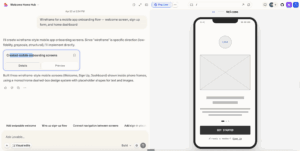
Lovable は、プロンプト、スクリーンショット、ワイヤーフレーム、製品アイデアを実用的なアプリケーションに変えることができるバイブ コーディング プラットフォームです。
Lovable は従来のワイヤーフレーム ツールではありませんが、多くのチームが静的なワイヤーフレームをスキップして、実用的なプロトタイプに直接移行するため、このリストに含まれています。創設者、PM、ビルダーにとって、クリック可能なアプリは静的なモックアップよりも便利です。
Lovable の優れている点
- プロンプトをアプリに変える
- スクリーンショットとワイヤーフレームを機能的な UI に変換
- MVP を迅速に構築する
- フルスタック プロトタイプの作成
- 創業者と PM による製品アイデアの検証を支援
長所
- ワイヤーフレームから動作するアプリへの移行に最適
- 創業者、PM、技術系以外のビルダーに最適
- MVP や製品の検証に役立ちます
- プロンプト、スクリーンショット、ワイヤーフレームの概念から作業可能
短所
- 本来はプロフェッショナルなデザイン システム ツールではありません
- Figma ネイティブの設計ワークフローにはあまり重点を置かない
- 製品チームは、実稼働使用の前に追加の設計レビューが必要な場合があります
最適な AI ワイヤーフレーム ツールの選び方
最適な AI ワイヤーフレーム ツールは、チームが最終的にどこに到達したいかによって異なります。一部のツールは、忠実度の低いアイデアを迅速に作成するのに最適です。他のものは、Figma ネイティブの製品設計に適しています。ワイヤーフレームを実用的なソフトウェアに変えることができるものはいくつかあります。
ツールを選択する前に、候補リスト全体で同じ 3 つのプロンプトを実行します。
- SSO と電子メール サインアップを使用したモバイル オンボーディング フロー
- 空の状態、フィルター、グラフを含む SaaS ダッシュボード
- 発送、支払い、確認画面を含む電子商取引のチェックアウト フロー
次に、次の基準を使用して結果を比較します。
| 因子 | 注意事項 |
|---|---|
| 生成の品質と管理 | AI は製品の意図、階層、ユーザー フロー、レイアウトの制約、モバイルまたはデスクトップのコンテキストを理解していますか? |
| Figma ワークフロー フィット | このツールは実際の Figma デザインを作成または編集できますか、それとも静的な画像または接続されていないモックアップのみをエクスポートしますか? |
| デザインシステムの忠実度 | AI は、汎用の AI UI を生成する代わりに、コンポーネント、トークン、タイポグラフィ、スペース、およびブランド言語を使用できますか? |
| 編集と反復 | プロンプト、手動編集、部分的な再生成、チームのフィードバックを使用してデザインを改良できますか? |
| 開発者ハンドオフ | ワイヤーフレームは、コード、React コンポーネント、プロトタイプ、またはエンジニアリングに役立つコンテキストになる可能性がありますか? |
| エージェントの可読性 | 他の AI エージェントは出力を理解できますか?クリーンな構造、意味のあるコンポーネント、読みやすいコード、および MCP またはコーディング エージェントのハンドオフを探してください。 |
| コラボレーションとガバナンス | このツールは、コメント、バージョン管理、権限、レビュー フロー、チーム ワークフローをサポートしていますか? |
| プライバシーとセキュリティ | チームが製品の機密データを扱う場合は、データ保持、モデル トレーニング ポリシー、SSO、監査ログ、SOC 2、エンタープライズ管理を確認してください。 |
プロの製品チームにとって最も重要な質問は、「このツールはワイヤーフレームを生成できるか?」ということだけではありません。それは、「このツールは、設計システム、Figma ワークフロー、エンジニアリングの引き継ぎを中断することなく、アイデアから実際の製品に移行するのに役立ちますか?」
ユースケース別のベスト AI ワイヤーフレーム ツール
| ユースケース | 最適なツール |
|---|---|
| 製品チームにとって総合的に最高の AI ワイヤーフレーム ツール | Anima |
| Figma ユーザー向けの最高の AI ワイヤーフレーム ツール | Buddy – Anima Figma デザイン エージェント |
| 迅速なビジュアルコンセプトに最適なツール | Claude Design |
| ワイヤーフレームをコーディングするための最適なツール | Anima Playground |
| AI コーディング エージェント ハンドオフに最適なツール | Anima Playground と MCP |
| ワークショップや製品発見に最適なツール | Miro AI Canvas |
| 最高の専用 UX フロー ツール | UXPilot |
| 探索に最適なバイブデザインツール | Google Stitch |
| プロンプトから MVP へのアプリ生成に最適なツール | Lovable |
Anima がプロの製品チームにとって最高の AI ワイヤーフレーム ツールである理由
2026 年には、多くの優れた AI ワイヤーフレーム ツールがあります。しかし、Anima は、アイデアからデザイン、コードに至るまでの完全なワークフローを接続するため、際立っています。
ほとんどの AI ワイヤーフレーム ジェネレーターは、最初のドラフトの作成に役立ちます。これは便利ですが、プロの製品チームには最初のドラフト以上のものが必要です。編集可能なデザイン、Figma の互換性、デザイン システムの認識、コラボレーション、ブランドの一貫性、生産へのパスが必要です。
Anima は、チームにさらに完全なワークフローを提供します: Figma 設計にワイヤーフレームするアイデア、システム設計から React コード、AI コーディング エージェントへのハンドオフ.
そのため、すでに Figma で作業しており、切断されたモックアップを作成するのではなく、AI で実際の製品の作業を高速化したいと考えているチームにとって、Anima は特に強力です。
Anima の組み合わせ:
- AI ワイヤーフレーム
- Figma ネイティブ デザイン アクション
- デザインシステムの認識
- デザインからコードの生成
- React 出力
- MCP コーディング エージェントへのハンドオフ
- デザイナー、PM、エンジニア向けのワークフロー
2026 年、最高の AI ワイヤーフレーム ツールは、最速の長方形レイアウトを生成するツールではありません。これは、チームが製品のアイデアから実際の製品に移行するのに役立ちます。
そこが Anima の違うところです。
結論
AI ワイヤーフレーム ツールを使用すると、初期の製品設計作業にかかる時間を節約できます。これらは、チームが従来のワイヤーフレームワークフローよりも早く、漠然としたアイデアから具体的な画面、フロー、プロトタイプ、アプリに移行するのに役立ちます。
簡単なワークショップのスケッチのみが必要な場合は、Miro AI Canvas が有力な選択肢です。視覚的に高速に探索したい場合は、Claude Design と Google Stitch をテストする価値があります。 UX を重視した画面生成が必要な場合は、UXPilot が最適な専用ツールです。アイデアからアプリに直接移行したい場合は、Lovable が強力なバイブ コーディング プラットフォームです。
ただし、チームが Figma を使用しており、ワイヤーフレームから製品までの本格的なワークフローを必要としている場合は、Anima から始めるのが最適です。
Anima Figma デザイン エージェント – Buddy は、Figma 内で直接作成して反復するのに役立ちます。 Anima Playground コード出力と MCP から AI コーディング エージェントへのハンドオフにより、設計から実用的なソフトウェアへの移行を支援します。
この組み合わせにより、Anima は、2026 年のプロの製品チームにとって最も完全な AI ワイヤーフレーム ツールの 1 つになります。
FAQ: 2026 年の AI ワイヤーフレーム ツール
AI ワイヤーフレーム ツールとは何ですか?
AI ワイヤーフレーム ツールは、人工知能を使用して、テキスト プロンプト、スケッチ、スクリーンショット、画像、または製品概要から UI レイアウト、製品画面、ユーザー フロー、クリック可能なプロトタイプ、またはアプリのコンセプトを生成します。
2026 年の最高の AI ワイヤーフレーム ツールは何ですか?
プロの製品チームにとって、Anima は、Figma ネイティブの設計ワークフロー、設計からコードの生成、および AI コーディング エージェントのハンドオフをサポートしているため、最高の AI ワイヤーフレーム ツールです。
AI は Figma でワイヤーフレームを作成できますか?
はい。 Anima の Figma デザイン エージェントである Buddy は、ワイヤーフレームと製品画面を Figma 内で直接作成できるため、チームが既存のデザイン ワークフローを維持できるようになります。
最高の Figma ワイヤーフレーム ツールは何ですか?
Anima による Figma AI エージェントである Buddy は、既存の Figma ワークフロー内で直接ワイヤーフレームを生成、編集、反復したいチームにとって最高の Figma ワイヤーフレーム ツールの 1 つです。
ワイヤーフレームをデザインするのに最適なツールは何ですか?
2026 年のワイヤーフレームをデザインするための最良のツールには、Anima、Claude Design、Anima Playground、Miro AI Canvas、UXPilot、Google Stitch、Lovable による Buddy が含まれます。正しい選択は、Figma ネイティブのワイヤーフレーム、高速なビジュアル探索、コラボレーション、またはワイヤーフレームからコードへのワークフローが必要かどうかによって異なります。
AI ワイヤーフレームとバイブ デザインの違いは何ですか?
AI ワイヤーフレーム化は通常、初期の UI 構造と画面レイアウトに焦点を当てます。バイブデザインの幅が広がります。これにより、ユーザーは製品の意図、ビジュアル スタイル、ブランドの方向性、インタラクションのアイデアを説明し、AI を使用してより完全な UI コンセプトを生成できます。
AI ワイヤーフレームとバイブコーディングの違いは何ですか?
AI ワイヤーフレームで画面とフローを作成します。 Vibe コーディングは、アイデア、ワイヤーフレーム、デザインを実用的なソフトウェアに変えます。 Anima Playground および Lovable は、チームがコンセプトから機能する製品に移行するのに役立つツールの例です。
Figma ユーザーに最適な AI ワイヤーフレーム ツールはどれですか?
Anima Figma デザイン エージェント Buddy は、Figma 内で直接動作し、編集可能な AI で生成されたデザイン作業をサポートしているため、Figma ユーザーに最適です。
コーディング エージェントに最適な AI ワイヤーフレーム ツールはどれですか?
Anima Playground は、デザインからコードへのワークフローと、Cursor や Claude Code などのツールへの MCP ハンドオフをサポートしているため、コーディング エージェントを使用するチームに最適です。
AI ワイヤーフレーム ツールは製品コードを生成できますか?
一部の AI ワイヤーフレーム ツールは、コードまたは動作するアプリケーションを生成できます。 Anima はデザインからコードまでのワークフローを中心に構築されており、チームが Figma デザイン、プロンプト、UI アイデアをコードに変換するのに役立ちます。 Lovable は、プロンプトとワイヤーフレームのコンセプトから動作するアプリを生成することもできます。