 Figma
Figma API
API Web to code extension
 Adobe XD
 Discord
 Twitter
 GitHub


 Blog
Blog
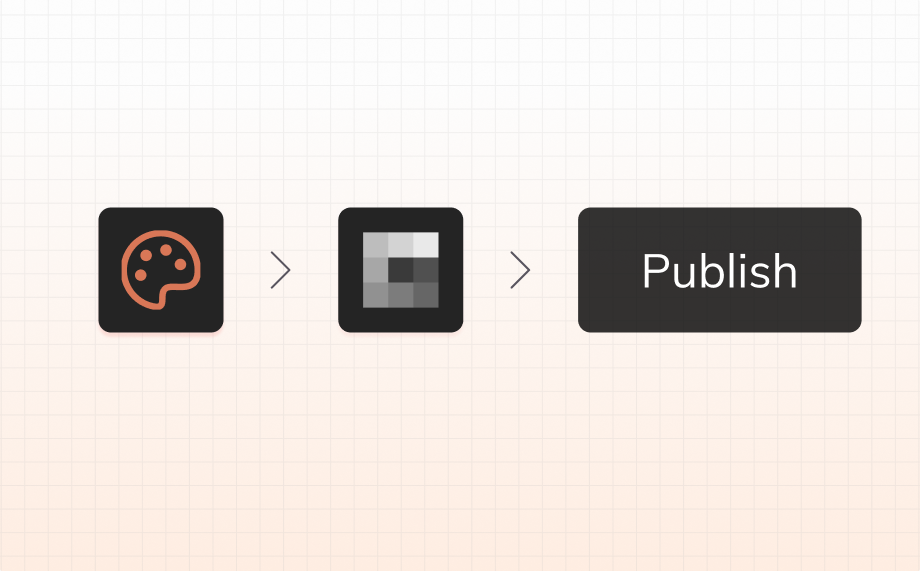
How to Publish a Website with Claude Design7 min read
Reading Time: 5 minutesClaude Design made one thing very clear: AI-generated design is no longer a side experiment. Anthropic introduced it as a new way to create polished visual work, prototypes, one-pagers, and branded assets through prompting and conversational iteration, with support for sharing and export. For product teams, that is a meaningful signal.
But there is still a missing step between a strong AI-generated design and a real public website. That step is publishing.
If you are using Claude Design and asking how to publish a website, go live, get feedback, and keep iterating as a professional team, this is the workflow. Claude Design helps you generate the experience. AgentGrid.io by Anima helps you turn Claude Design files into a live website you can edit, extend, publish, and connect to your domain.
How to publish a website with Claude Design
If your goal is to publish a website with Claude Design, the cleanest workflow is to use Claude Design for the starting point, then use AgentGrid.io to take it the rest of the way to a live site.
This is the step-by-step flow:
- Install AgentGrid.io’s Claude connector.
- In Claude Design’s chat, ask to “publish as a website using AgentGrid.io.”
- Optionally, connect a domain. Otherwise, use AgentGrid.io’s provided public link.
- Updates are possible from Claude, Claude Design, Claude Code, ChatGPT, or any other agent.
That is the shortest answer to how to publish a website with Claude Design: install AgentGrid.io’s Claude connector, ask Claude Design to publish through AgentGrid.io, then use the provided public link or connect your own domain.
Try AgentGrid.io Now
What is Claude Design?
Claude Design is Anthropic’s new AI-native design product, launched as a research preview to help people create polished visual work through prompting, editing, and iteration. Anthropic describes it as a tool for creating prototypes, product mockups, presentations, one-pagers, and other visual assets, with support for conversational edits, comments, sliders, exports, and team design systems. That positioning comes directly from Anthropic’s launch announcement.
That matters because it reflects something bigger than a new feature release. It reflects a real market shift.
For years, design tools were mostly about drawing. Then AI tools started generating screens. Now tools like Claude Design are pushing toward something more professional: AI that can produce polished, brand-aware design output that feels much closer to actual product work.
That is exciting. But it also creates a new question: How do you go from Claude Design to a live website?
Why publishing matters
A private design project is not the same thing as a live website.
You can have a strong visual direction, a polished prototype, even a convincing one-pager, and still not have something users can visit.
Publishing is the moment the work becomes real.
It is the point where your team gets:
- a public URL
- something stakeholders can open in context
- a site you can test and iterate
- a branded destination you can share
- the beginning of a real product surface
That is why go live is not a minor step. It is where generated design stops being internal output and starts becoming software.
Why use AgentGrid.io after Claude Design?
Claude Design is strong at exploration. It helps teams move quickly from prompt to polished visual result. Anthropic also says it supports exporting to formats including standalone HTML, PDF, PPTX, and Canva, and can hand work off to Claude Code when a project is ready to build.
But export is not the same thing as publishing and sharing a draft, or publishing a full site with zero setup.
A file is an output. A live site is a workflow.
That is where AgentGrid.io fits. After Claude Design gives you the starting point, AgentGrid.io lets you keep moving:
- edit the design through chat
- improve structure and responsiveness
- add product functionality
- publish to a public link
- connect your own domain
This is the difference between an AI artifact and a professional publishing workflow.
From generated design to live product
The most interesting thing happening in design right now is not just that AI can generate UI. It is that design is becoming executable much earlier.
The old flow looked like this:
brief → wireframe → mockup → handoff → build → publish
The new flow is collapsing:
prompt → prototype → refine → publish → keep iterating
That is what makes Claude Design interesting. It shortens the path to a polished first version.
That is what makes AgentGrid.io important in this workflow. It turns that first version into a live website instead of leaving it as a beautiful dead end.
Claude Design for professional teams
There is a big difference between AI that generates something impressive and AI that fits a real team workflow.
Professional teams care about more than speed. They care about craft, iteration, collaboration, system consistency, and how quickly something moves from idea to real product.
Claude Design is compelling because it points to a more serious future for AI-native design. Anthropic’s product framing emphasizes polished output, conversational refinement, and support for team design systems, which moves beyond the toy phase of AI-generated UI.
But professionals also need to ask:
- Can this become a live website quickly?
- Can we keep editing after generation?
- Can we add functionality without rebuilding from scratch?
- Can we publish to a branded domain?
- Can we use this as a real product surface, not just a prototype?
That is why the Claude Design to AgentGrid.io workflow matters. It respects what Claude Design is good at, while solving the next step that serious teams actually care about.
Why this workflow is better than stopping at export
If you only export, you end with a file.
If you publish through AgentGrid.io, you end with a live object on the internet.
That distinction sounds small, but it changes everything.
A live site can be reviewed in context, sent to customers, shown to investors, tested on mobile, updated through chat, and connected to a domain. It can become the basis for a real project.
That is the difference between presentation and product.
For teams asking how to publish website output from an AI design tool, that is the answer that matters.
Claude Design is a signal. Publishing is the unlock.
Claude Design is part of a broader shift in how software gets made. Design is becoming more conversational, more generative, and more tightly connected to implementation.
That is good news for product teams. It means less time lost between idea and first version.
But the real unlock is not only generating faster. It is going live faster.
AgentGrid.io is the layer that helps teams cross that bridge.
FAQ
How do I publish a website with Claude Design?
Install AgentGrid.io’s Claude connector, then ask Claude Design to “publish as a website using AgentGrid.io.” Use AgentGrid.io’s provided public link or connect your own domain.
Can Claude Design publish websites directly?
Claude Design supports exports and sharing, including standalone HTML according to Anthropic’s launch materials, but teams that want an editable live publishing workflow can use AgentGrid.io to turn the result into a public website.
What is the fastest way to go live from Claude Design?
The fastest workflow is Claude Design for the starting point, then AgentGrid.io for editing, adding functionality, and publishing to a public URL.
Why use AgentGrid.io after Claude Design?
Because AgentGrid.io helps bridge the gap between generated design and live website. It lets you keep iterating through chat, add functionality, publish publicly, and connect your own domain.
Is this workflow good for professional product teams?
Yes. It is especially useful for landing pages, demos, concept sites, fast experiments, product marketing pages, and early product surfaces that need to move from design to public URL quickly.
What is the difference between export and publish?
Export gives you a file. Publish gives you a live website people can open, review, test, and share.