 Figma
Figma Adobe XD



Claude Design Review: 기능, pros, cons 및 최고의 대안7 min read
Reading Time: 9 minutesAnthropic은 Claude Design을 통해 AI design space에 공식적으로 진입했습니다. Claude Design은 conversation을 통해 prototypes, slides, one-pagers, visual concepts를 만들 수 있는 새로운 tool입니다. Blank canvas에서 시작하는 대신, users는 원하는 것을 설명하고, context를 추가하고, Claude와 함께 output을 refinement할 수 있습니다. 이 때문에 Claude Design은 idea에서 visual direction으로 빠르게 이동해야 하는 product managers, founders, marketers, designers에게 특히 흥미로운 tool입니다.
동시에 Claude Design은 AI design tools의 더 큰 변화 흐름의 일부입니다. Teams는 high-fidelity, code-connected prototypes를 위한 Anima Playground와, Figma 안에서 직접 design-system-aware 작업을 할 수 있는 Anima의 Buddy, Figma AI agent 같은 workflows도 함께 비교하고 있습니다.
이 Claude Design review에서는 Claude Design의 주요 features, strengths, limitations, 그리고 speed, brand consistency, Figma workflows, production-ready output을 중요하게 생각하는 teams에게 다른 AI design tools와 어떻게 비교되는지 살펴봅니다.
2026년 4월 17일, Anthropic은 Claude Design을 출시했습니다. Claude Design은 Anthropic Labs의 새로운 product로, users가 Claude를 사용해 designs, prototypes, slides, one-pagers, interactive experiences 등 polished visual work를 만들 수 있게 해줍니다. 이 tool은 현재 Claude Pro, Max, Team, Enterprise subscribers를 대상으로 research preview로 제공됩니다.
최근까지 design work는 보통 Figma, Canva, traditional prototyping platforms 같은 전용 tools 안에서 이루어졌습니다. Claude Design은 다른 접근 방식을 취합니다. Blank canvas에서 시작하는 대신, conversation에서 시작합니다.
원하는 것을 설명하면 Claude가 first version을 생성하고, 이후 chat, inline comments, direct edits, design controls를 통해 결과를 refinement할 수 있습니다. Idea에서 visual output으로 더 빠르게 이동하고 싶은 product managers, founders, marketers, designers에게 이 workflow는 이해하기 쉽습니다.
그렇다면 Claude Design은 실제로 얼마나 좋을까요? 그리고 Anima, Buddy, Banani, UX Pilot, Google Stitch 같은 alternatives와 비교하면 어떨까요?
아래는 Claude Design의 features, strengths, limitations, best alternatives를 다루는 실용적인 Claude Design review입니다.
Claude Design이란?
Claude Design은 Claude에 내장된 AI design tool입니다. Users는 natural language로 원하는 것을 설명해 visual work를 만들 수 있습니다.
Anthropic은 Claude Design을 Claude와 함께 designs, prototypes, slides, one-pagers 등을 collaborate할 수 있는 방법으로 설명합니다. 이 tool은 Anthropic의 advanced vision model인 Claude Opus 4.7로 powered by 되어 있으며, 현재 Claude Pro, Max, Team, Enterprise users를 대상으로 research preview로 제공되고 있습니다.
Core experience는 간단합니다. Claude Design을 열고, prompt를 작성하고, 관련 context를 추가하면 Claude가 canvas 위에 working design을 생성합니다. 이후 conversation, inline feedback, direct edits를 통해 output을 계속 refinement할 수 있습니다.
Claude Design은 ideas를 빠르게 시각적인 결과물로 바꿔야 하는 사람들에게 특히 유용합니다. 예를 들어 feature mockups를 만드는 product managers, pitch decks를 준비하는 founders, campaign assets를 만드는 marketers, 하나의 방향을 정하기 전에 multiple directions를 탐색하는 designers에게 적합합니다.
Claude Design Features
1. Text-to-design generation
Claude Design의 주요 workflow는 prompt에서 시작됩니다. 만들고 싶은 것을 설명하면 Claude가 first version을 생성합니다.
다음과 같은 작업을 요청할 수 있습니다.
- Product wireframes
- App screens
- Landing pages
- Pitch decks
- One-pagers
- Marketing assets
- Interactive prototypes
- Internal tools
- Social media visuals
이 때문에 Claude Design은 traditional design tool이라기보다 creative partner처럼 느껴집니다. Figma file을 어떻게 구조화해야 하는지 알 필요도 없고, deck을 처음부터 만들 필요도 없습니다. Goal, audience, layout, content를 설명하면 Claude가 starting point를 제공합니다.
그렇다고 first result가 항상 완벽하다는 뜻은 아닙니다. 대부분의 AI design tools와 마찬가지로, 가장 좋은 결과는 보통 몇 번의 refinement 과정을 거친 후 나옵니다.
2. Chat-based editing 및 inline comments
Claude가 design을 만든 후에는 여러 방식으로 계속 refinement할 수 있습니다.
Chat에서 “make this feel more premium” 또는 “turn this into a dashboard layout”처럼 넓은 변경을 요청할 수 있습니다. 특정 elements에 inline comments를 남기거나, canvas에서 text를 직접 편집할 수도 있습니다. Anthropic은 spacing, colors, layout을 조정할 수 있는 custom sliders와 adjustment controls도 언급합니다.
3. Design system support
Claude Design은 team의 design system을 새로운 projects에 적용할 수 있습니다. Onboarding 중 Claude는 codebase와 design files를 읽어 colors, typography, components를 포함한 design system을 구축할 수 있습니다.
이는 brand consistency를 중요하게 생각하는 companies에게 의미 있는 feature입니다. Generic AI design output은 이 category의 가장 큰 문제 중 하나입니다. 모든 AI-generated page가 같은 polished SaaS template처럼 보인다면 real teams에게는 크게 유용하지 않습니다.
다만 중요한 nuance가 있습니다. Claude Design은 existing files와 codebases를 읽어 design system을 구축합니다. Figma를 source of truth로 사용하는 teams에게는 native Figma design system workflow만큼 직접적으로 느껴지지 않을 수 있습니다.
4. Multiple import options
Claude Design은 users가 context를 제공할 수 있는 여러 방법을 제공합니다. Anthropic에 따르면 users는 text prompt로 시작하거나, images와 documents를 upload하거나, codebase를 connect하거나, web capture tool을 사용해 website에서 elements를 가져올 수 있습니다.
이는 “blank canvas” 문제를 피하는 데 도움이 됩니다. Claude에게 모든 것을 처음부터 invent하라고 요청하는 대신, references, screenshots, existing assets, product context를 제공할 수 있습니다.
더 많은 context를 제공할수록 output의 품질은 더 좋아질 가능성이 높습니다.
5. Collaboration 및 sharing
Claude Design은 organization-scoped sharing을 지원합니다. Design을 private으로 유지하거나, organization 내 누구와도 link로 share하거나, colleagues가 edit하고 collaborate하도록 허용할 수 있습니다. Anthropic에 따르면 collaborators는 design을 modify하고 Claude와 함께 chat할 수 있습니다.
이는 product teams에게 특히 유용합니다. PM은 early prototype을 만들고, 이를 designer나 engineer와 share한 뒤, full spec을 작성하거나 development task를 열기 전에 idea를 계속 refinement할 수 있습니다.
6. Export options
Claude Design은 여러 export paths를 지원합니다. Design을 internal URL로 share하거나, folder로 저장하거나, Canva, PDF, PPTX, standalone HTML files로 export할 수 있습니다. Anthropic은 Claude가 design을 bundle로 package해 implementation을 위해 Claude Code로 전달할 수 있는 handoff flow도 강조합니다.
중요한 limitation 중 하나는 Claude Design이 Figma로 direct export를 제공하지 않는다는 점입니다. 많은 teams가 final design refinement, design system management, collaboration, handoff에 여전히 Figma를 사용하기 때문에 이는 중요합니다.
Workarounds는 있습니다. 예를 들어 Buddy by Anima를 사용하면 Claude Design의 HTML output을 Figma로 가져올 수 있습니다. 하지만 Claude Design 자체에는 native Figma export가 없습니다.
Claude Design Pros and Cons
Claude Design이 잘하는 것
Claude Design은 speed가 중요한 상황에서 가장 강력합니다. Users가 idea에서 visual artifact로 빠르게 이동하도록 도와줍니다. 이는 files를 세팅하는 데 몇 시간을 쓰지 않고 더 많은 directions를 탐색하고 싶은 PMs, founders, marketers, designers에게 가치가 있습니다.
Design system support도 유망합니다. Claude가 brand, components, product patterns를 이해할 수 있다면 output은 generic AI mockup보다 훨씬 더 유용해집니다.
Claude Code로의 handoff도 큰 benefit입니다. 이미 Claude Code를 사용하는 teams에게는 idea에서 prototype, implementation으로 이어지는 workflow가 각 단계마다 별도 tools를 사용하는 것보다 더 connected하게 느껴집니다.
Claude Design이 아직 제한적인 부분
Claude Design은 아직 research preview 단계이기 때문에 teams는 일부 rough edges를 예상해야 합니다.
가장 큰 limitation은 control입니다. Claude Design은 inspiration, exploration, 여러 directions를 빠르게 testing하는 데는 뛰어나지만, 항상 final design work가 이루어지는 장소는 아닙니다. Final refinements, detailed layout decisions, design system cleanup, production handoff에는 여전히 Figma 같은 tool이 필요한 경우가 많습니다.
이 점은 Claude Design이 현재 Figma로 direct export를 제공하지 않기 때문에 더 중요해집니다. Figma를 source of truth로 사용하는 teams에게 이는 실제 blocker가 될 수 있습니다. HTML export나 Claude Code를 사용할 수는 있지만, 목표가 Figma 안에서 결과를 계속 edit하는 것이라면 extra step이 필요합니다.
이 gap을 메우는 방법은 있지만, 다른 tools에 의존합니다. 예를 들어 Buddy by Anima는 teams가 Claude Design output을 다시 Figma로 가져오도록 도와줄 수 있으며, 이를 통해 많은 teams가 components, layouts, final refinements를 관리하는 곳에서 design process를 계속할 수 있습니다.
두 번째 limitation은 ecosystem fit입니다. Claude Design은 team이 이미 Claude ecosystem 안에서 작업할 때 가장 강력합니다. Designers가 Figma를 중심으로 일하고 developers가 다른 coding agents를 사용한다면, 해당 workflows에 더 직접적으로 연결되는 tools를 선호할 수 있습니다.
마지막으로, 강력한 context가 없으면 AI-generated visuals는 여전히 generic하게 보일 수 있습니다. Claude Design은 design system support로 이를 개선하지만, 품질은 여전히 제공하는 inputs에 크게 의존합니다.
Best Claude Design Alternatives
Claude Design은 강력한 새로운 option이지만, 고려할 만한 유일한 AI design tool은 아닙니다. Best alternative는 workflow, team, 그리고 output이 real product code에 얼마나 가까워야 하는지에 따라 달라집니다.
1. Anima Playground
Best for: Brand-aware prototypes와 code-ready output을 원하는 product teams.
Anima Playground는 high-fidelity, on-brand prototypes를 만들기 위한 design-first vibe-coding environment입니다. Claude Design이 Claude ecosystem 안에 있다면, Anima는 teams가 real product처럼 보이고 작동하는 product experiences를 만들도록 돕는 데 집중합니다.
AI로 디자인해 보세요
Anima는 프롬프트만으로 웹사이트, 앱, UX 디자인을 만들어 줍니다. 여기에서 사용해 보세요 –
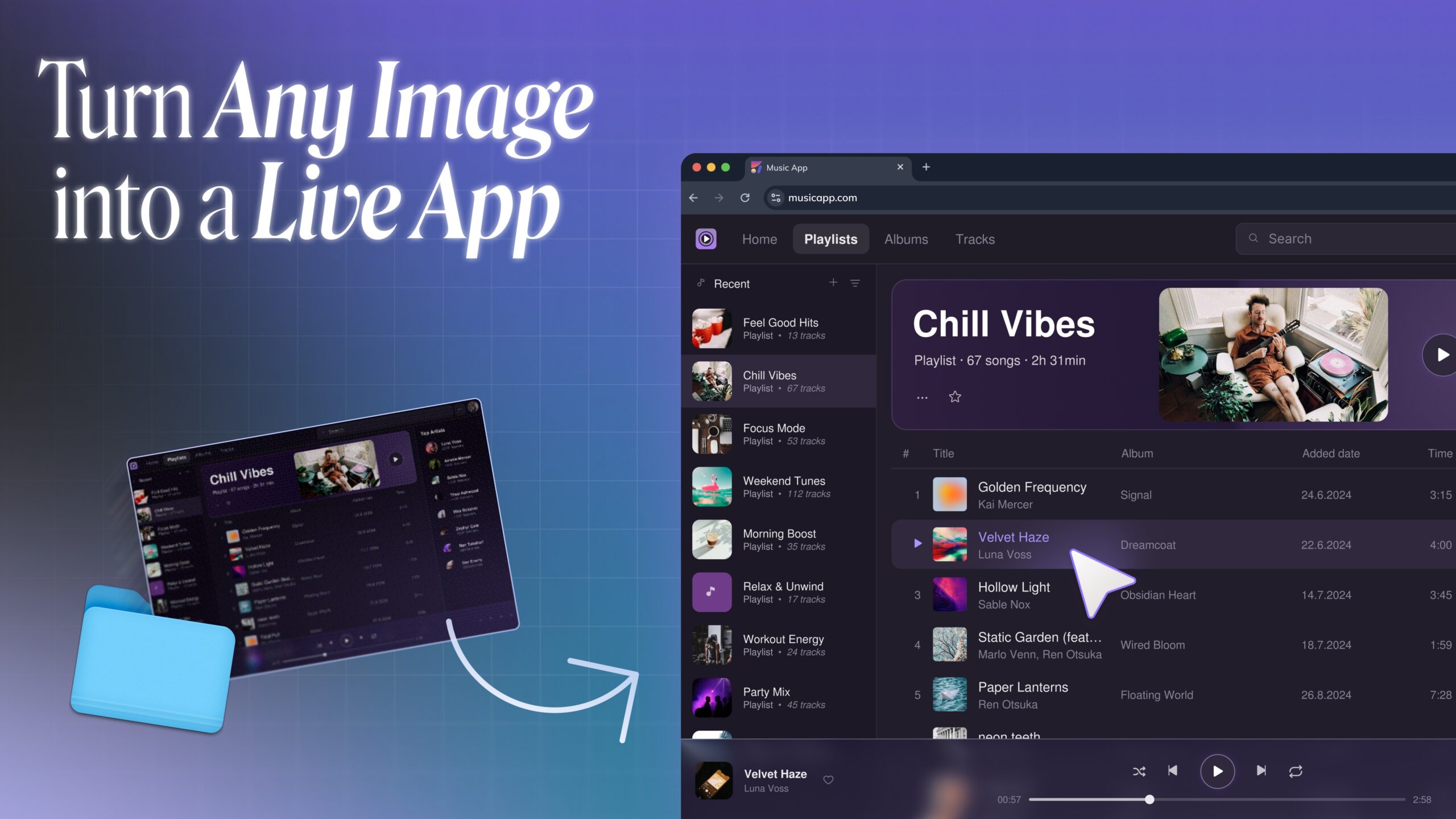
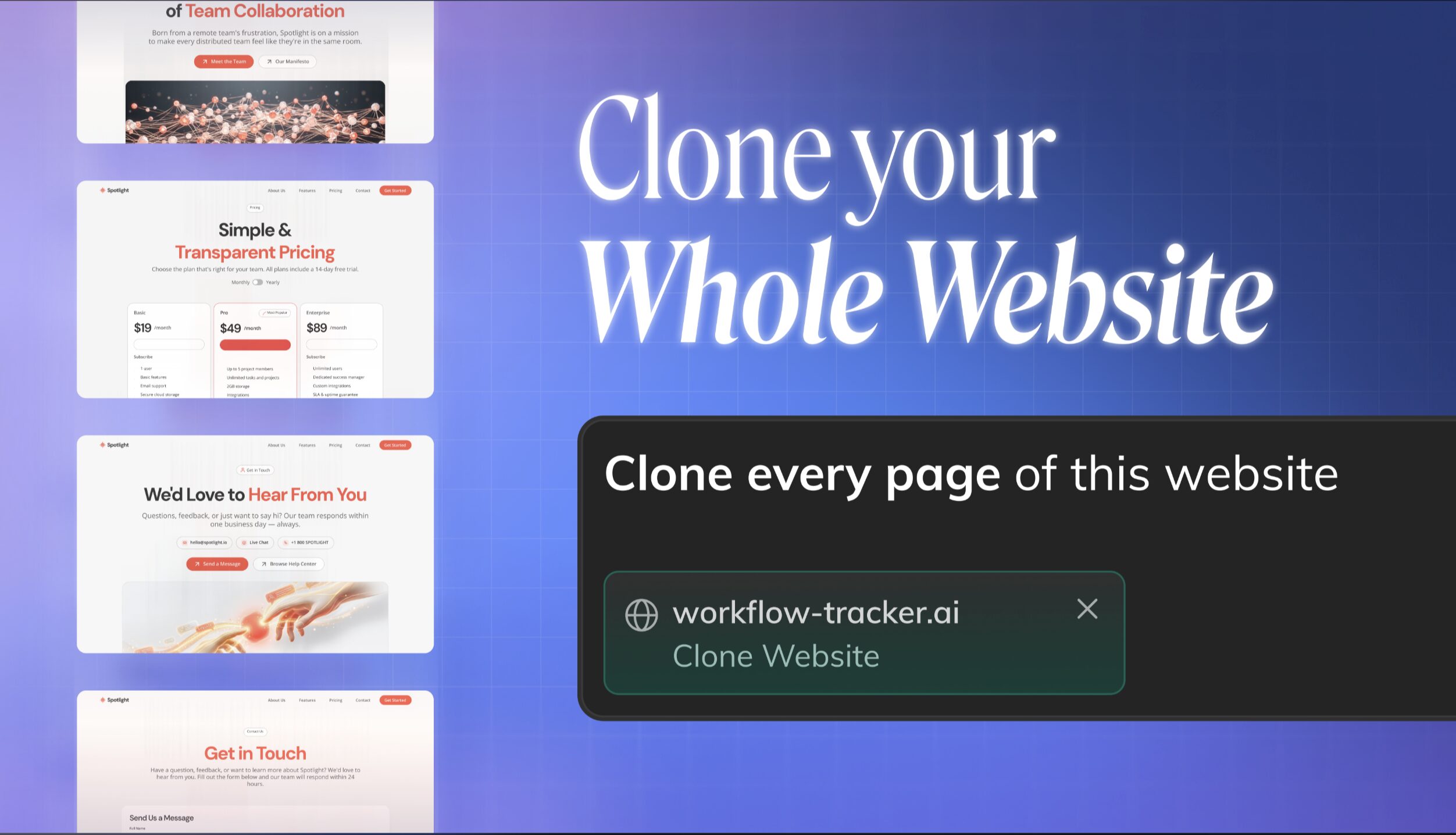
Anima의 가장 큰 advantage는 teams가 blank prompt만이 아니라 real product context에서 시작할 수 있다는 점입니다. Text에서 build하거나, Figma design을 import해 working React prototype으로 전환하거나, existing website를 clone하거나, live URL에서 brand를 extract해 새로운 page나 feature를 design하는 데 사용할 수 있습니다. Figma design system support를 통해 teams는 또 다른 generic AI interface를 생성하는 대신 real components로 build할 수도 있습니다.
또 다른 중요한 difference는 Anima prototypes가 단순한 visual mockups가 아니라 real apps처럼 더 잘 작동할 수 있다는 점입니다. Teams는 real data를 추가하고 prototype flows를 database에 connect할 수 있어, user inputs, saved information, dashboards, dynamic content에 의존하는 product experiences를 더 쉽게 test할 수 있습니다.
Anima는 design, prototyping, development 사이에 더 circular한 workflow도 만듭니다. Teams는 Figma에서 시작해 designs를 Anima로 가져오고, working prototype을 build한 뒤, 생성된 designs를 다시 Figma로 copy back해 final refinement와 designer handoff를 진행할 수 있습니다.
그 후 teams는 generated code를 download하거나 developers와 share하거나, MCP를 사용해 coding agents와 development tools 안에서 계속 작업함으로써 production으로 나아갈 수 있습니다. 이 때문에 Anima는 quick exploration뿐만 아니라 Figma, working React prototypes, real development를 연결하는 end-to-end workflow에도 유용합니다.
단순히 quick visual을 생성하는 것이 아니라, stakeholders를 align하고, product ideas를 test하고, Figma에서 design을 refine하고, production에 더 가까워지는 working prototype을 만드는 것이 priority라면 Anima Playground를 사용하세요.
2. Buddy by Anima – Figma AI Agent
Best for: Figma 안에서 AI design agent를 사용하고 싶은 teams.
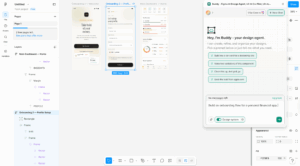
Buddy는 Figma 안에서 직접 작동하는 Anima의 AI design agent입니다. 이것이 Claude Design과 비교했을 때 가장 큰 advantage입니다. 작업을 별도의 AI workspace로 옮기거나 나중에 다시 Figma로 export할 필요가 없습니다. Figma에서 시작해 real Figma nodes를 만들고 edit하며, team이 이미 design하는 같은 environment에서 계속 작업할 수 있습니다.
Buddy는 real Figma design system을 사용해 designs를 생성할 수도 있습니다. Existing components, variables, styles를 재사용할 수 있습니다. 이미 Figma에서 design system을 관리하는 teams에게 이는 큰 difference입니다.
Screens를 생성하는 것 외에도 Buddy는 Figma canvas를 위한 flexible AI agent처럼 작동합니다. Variations 생성, components 적용, messy frames 정리, nodes cleanup, elements 제거, layouts 재구조화 등을 요청할 수 있습니다. 이런 의미에서 Buddy는 단순한 design generator가 아닙니다. Figma 안에서 더 빠르게 작업하기 위한 AI assistant입니다.
Buddy는 Claude Design의 가장 큰 workflow gaps 중 하나인 native Figma export 부재를 해결하는 데도 도움을 줄 수 있습니다. Team이 Claude Design에서 concept을 만들고 Figma에서 계속 refinement하고 싶다면, Claude Design의 HTML output을 copy해 Buddy에 paste하고 editable Figma nodes로 변환할 수 있습니다. 이를 통해 teams는 Claude Design exploration에서 다시 Figma workflow로 돌아가는 실용적인 path를 얻습니다. 자세히 알아보려면 이 글을 읽어보세요.
3. Banani
Best for: Figma export를 포함한 fast UI exploration.
Banani는 prompts와 image references에서 UI를 생성하는 canvas-based AI UI design tool입니다. Multiple directions를 빠르게 생성하고 이후 Figma에서 output을 계속 refinement하고 싶을 때 quick ideation에 유용합니다.
Banani는 Claude Design보다 더 focus되어 있습니다. Visual idea에서 code handoff까지 entire workflow를 소유하려고 하지 않습니다. 대신 users가 UI concepts를 빠르게 만들고, 추가 editing을 위해 design tools로 이동할 수 있도록 돕습니다.
주요 목표가 rapid design exploration과 Figma export라면 Banani를 선택하세요.
4. UX Pilot
Best for: UX research, flows, wireframes, usability analysis.
UX Pilot은 visual generation보다 UX work에 더 구조화된 tool입니다. Wireframes, user flows, personas, journey maps, usability analysis를 지원합니다.
이는 product design process의 더 이른 단계에서 AI help를 원하는 teams에게 좋은 option입니다. Polished screens로 바로 넘어가기보다, UX Pilot은 user journey를 명확히 하고, usability issues를 식별하고, product experience의 structure를 형성하는 데 도움을 줄 수 있습니다.
High-fidelity visual output보다 UX planning과 validation을 더 중요하게 생각한다면 UX Pilot을 사용하세요.
5. Google Stitch
Best for: Google-native design-to-development workflow와 fast AI UI ideation을 원하는 teams.
Google Stitch는 Google Labs의 AI UI design tool로, teams가 natural language에서 high-fidelity web and mobile interfaces를 생성할 수 있도록 돕습니다. Quick ideation, multiple UI directions 탐색, blank canvas에서 시작하지 않고 early product ideas를 visual concepts로 전환하는 데 특히 유용합니다.
Claude Design과 비교하면 Stitch는 UI design과 product interface exploration에 더 focus된 느낌입니다. 새로운 canvas experience는 “vibe design”을 중심으로 구축되어 있으며, teams는 text, images, code 같은 context를 가져와 AI-native design workspace 안에서 screens와 flows를 iterate할 수 있습니다.
Google은 또한 DESIGN.md를 통한 design system support, URL-based design system extraction, Stitch MCP 및 SDK를 통한 developer tools와의 integrations도 강조합니다.
이미 Google의 AI and development ecosystem으로 작업하고 있는 team이라면, high-fidelity UI concepts를 빠르게 탐색하기 위해 Google Stitch를 선택하는 것이 좋습니다.
누가 Claude Design을 사용해야 할까요?
Claude Design은 traditional design tool에서 시작하지 않고 ideas를 시각적으로 전달해야 하는 사람들에게 잘 맞습니다.
특히 다음과 같은 경우에 유용합니다.
- Quick feature mockups를 만드는 product managers
- Pitch decks 또는 product concepts를 준비하는 founders
- Campaign visuals 또는 landing page ideas를 만드는 marketers
- Multiple visual directions를 탐색하는 designers
- 이미 Claude와 Claude Code를 사용하는 teams
Team이 이미 Claude를 사용하고 있고 idea에서 visual output으로 빠르게 이동하고 싶다면 Claude Design은 테스트할 가치가 있습니다.
하지만 workflow가 Figma, design systems, production-grade frontend handoff에 크게 의존한다면 Claude Design을 Anima Playground 및 Buddy, the Figma AI agent by Anima와 비교해 볼 가치가 있습니다.
Claude Design은 반드시 Figma replacement는 아닙니다. Exploration, prototyping, visual communication을 위한 fast AI design workspace로 이해하는 것이 더 적절합니다.
Final Verdict: Claude Design은 사용할 가치가 있을까요?
Claude Design은 visual creation을 Claude 안으로 직접 가져온다는 점에서 가장 흥미로운 새로운 AI design tools 중 하나입니다.
가장 큰 strength는 speed입니다. Idea를 설명하고, visual direction을 생성하고, refine하고, teammates와 collaborate하고, export하고, Claude Code로 handoff까지 할 수 있습니다. 따라서 빠르게 움직여야 하는 non-designers와 cross-functional teams에게 특히 유용합니다.
가장 큰 limitation은 depth입니다. Components, variants, design systems, Figma-native workflows를 완전히 control해야 하는 designers는 기존 design environments를 중심으로 만들어진 tools를 더 선호할 수 있습니다.
따라서 답은 team에 따라 달라집니다.
이미 Claude를 사용하고 있고 prototypes, slides, visual assets를 빠르게 만드는 방법을 원한다면 Claude Design은 분명 테스트해 볼 가치가 있습니다.
Team이 brand fidelity, Figma workflows, code-connected design systems를 깊이 중요하게 생각한다면 Anima Playground나 Buddy가 더 나은 fit일 수 있습니다.
어느 쪽이든 Claude Design은 AI design tools가 simple image generation을 넘어가고 있다는 또 하나의 신호입니다. 다음 wave는 ideas를 usable, editable, 그리고 eventually buildable한 product experiences로 바꾸는 것입니다.
FAQ
Claude Design이 Figma를 대체할 수 있나요?
직접적으로는 아닙니다. Claude Design은 fast exploration, prototypes, decks, visual communication에 유용합니다. Figma는 detailed design work, component management, design systems, pixel-level editing을 위한 더 성숙한 tools를 여전히 제공합니다.
Claude Design은 design systems를 지원하나요?
네. Claude Design은 codebases와 design files를 읽어 team design system을 만들고 적용할 수 있습니다. Colors, typography, components를 새로운 projects 전반에서 자동으로 사용할 수 있습니다.
Best Claude Design alternatives는 무엇인가요?
Best Claude Design alternatives에는 Anima Playground, Buddy by Anima, Banani, UX Pilot, Google Stitch가 포함됩니다. 올바른 선택은 Figma-native workflows, design system support, UX planning, code-ready prototypes 중 무엇이 필요한지에 따라 달라집니다.
Claude Design projects를 Figma로 export할 수 있나요?
Claude Design은 현재 Figma로 direct export를 제공하지 않습니다. Canva, PDF, PPTX, standalone HTML, internal URLs, folders 같은 export options를 지원합니다. 결과물을 Figma에서 계속 edit해야 한다면, Claude Design의 HTML을 copy해 Buddy by Anima에 paste하면 HTML을 editable Figma nodes로 변환할 수 있습니다.