
 Figma
Figma API
API Web to code extension
 Adobe XD
 Discord
 Twitter
 GitHub


 Blog
Blog

Do Design Systems matter in the Age of AI?8 min read
Reading Time: 6 minutesYes. Design systems still matter in the age of AI, but not for the reasons we built them in the first place. In an AI-first company, design systems become the foundation that allows AI to safely democratize design, enabling anyone to start from a prompt, a napkin drawing, or by manipulating existing flows, and explore new ideas freely while maintaining a consistent, on-brand user interface. What we originally built as guardrails for human designers and engineers now unlocks faster ideation, smarter feedback loops, and innovation at scale without sacrificing brand integrity.
The Two Design Systems Problem: Figma vs Code
Most companies begin with a tangled mess of code and design. As the company matures and wants to improve its consistency, it will create a “Design system”. This concept, introduced a few years ago, first and foremost ensures consistency within the development process. Designers use a Figma design system (“Figma DS”), which has advanced features like variants and properties that make it quite advanced. On the Dev side, the code base typically has a Code design system (“Code DS”) that might have its own Repo or could just be a collection of reused components in the project.
Designers will start with Atomic components, and as time and project complexity increase, compositions of components will turn into their own components (e.g., a search input box with a search button, a configurable toolbar, a modal, or a user card). However, as complexity increases, the priorities of the designers diverge from those of the developers: creating a “schism” between the Figma DS and Code DS. Components might not be 1:1 compatible. Without the same props or variants, the code DS might be outdated compared to the new Figma DS, or the Figma DS might have been lagging behind the R&D process or vice versa.
Moreover, there are now two sources of truth for the company on how things should “look and behave”. The codebase and Figma designs each become sources of truth for parts of the company, but they often diverge in both form and function.
Why Design Systems Don’t Scale Across Teams
Traditionally, Product Designers and Product Managers would use the Figma DS as their source of truth when they prototype, ideate, and test flows with users. However, this requires full command of Figma, which is a professional tool, which is not trivial to master by non-designers. That leaves quite a few personas out of the ideation tent – sales, managers, and PMs often can’t do it on their own and don’t have the resources to prototype their ideas, as Product Designers are always busy and under strict deadlines. That also means that prototyping ideas and validation loops are necessarily too long.
Product Managers who dare to prototype using the code components need an even rarer resource – the elusive developer. Just try and grab one to help a PM run production on Cursor or Claude code or even review PRs generated by them. Good luck with that.
Last, but not least, are the front-end developers. They get a design and/or prototype. Typically, it is a series of screens out of a huge matrix of Figma designs that include other flows, previous attempts, and ideas. The design shows the flow that the PM and PD devised, usually based on a design that might not align with what’s on production. The design effectively serves as a reference, and the developer effectively recreates the design from scratch, hopefully using the correct Code DS components. Once the dev is done, there’s a ping pong process between the dev & PD around visual accuracy, responsiveness, and Visual QA. This is all very time-consuming and exhaustive.
AI Changes the Design-to-Code Handoff
Cursor or Claude-code can “speak” with Figma via MCP, but it’s a bit shallow and doesn’t fully align in complex projects that already use a code DS. Anima’s MCP was built for teams and understands design systems in a way that sets Cursor for success. Anima does the same for vibe-coded projects and allows ideating with prompts on top of a design-system.
With LLMs and AI Agents, we often hear that “Developers are going to soon be replaced by AI”. The big question is whether AI can actually convert a design into production-grade front-end codeץ Also, with UX being generated by AI, who will write the frameworks and the DS code itself?
With Claude code / Cursor and Cline, and access to a high quality MCP sources for both the Figma design and the code Design system, the results can be spectacular. Figma’s MCP works pretty nicely when paired with Code Connect (which is quite complex to cover). However, results are mixed in typical cases, sometimes it picks up DS components but misses props and variants, and sometimes it completely misses the point.
As this flow improves over time, the handoff process can definitely be revolutionized. This is far from putting any Front End developers out of a job, as these do quite a lot more than translate designs into code.
Vibe-coding, Design Systems, and Handoff – A New Way to Ideate
Ideation is a complex process and was previously restricted to a select few who were experts in the Figma design and fluent in the company’s Figma Design System and the company’s brand design rules.
Vibe coding changes all of that, and democratizes ideation, experimentation, prototyping, and user testing. Anyone can prompt, but the big question is: How do vibe coders prototype using the company’s DS and stay on brand?
The first question is whichDesign System do we refer to? The design system in the codebase can be useful, but most Vibe-coding platforms have limited support for loading NPM packages and consuming documentation for the code DS. This solves the problem of going from zero to something using a prompt, if integration is achieved. However, it doesn’t really do the trick if you want to start with a working, existing flow and tweak it.
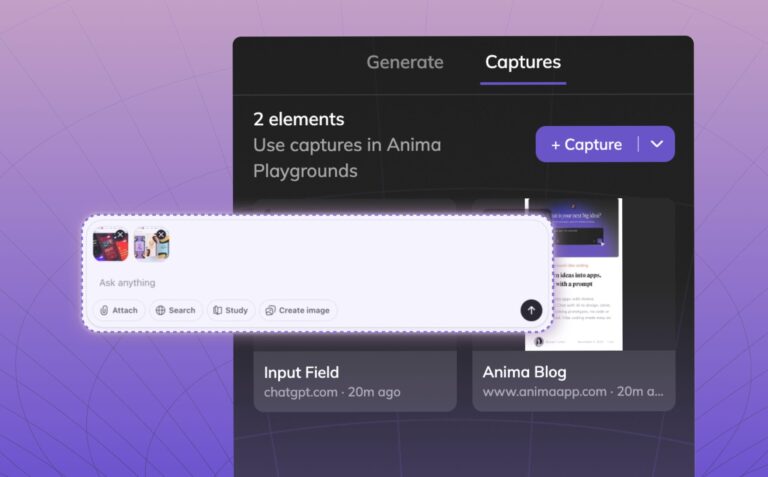
In 2026, vibe coding platforms should allow you to either start with a Figma design or capture the design from a working app or prompt while ideating. All of these methods should consume the code DS and its documentation to allow you to stay on-brand and hand off ideas to engineering afterwards. Anima already has these methods and even allows a handoff of a vibe-code project to Cursor/Claude via MCP. If you work on the real code design system to begin with, coding agents will have an easy time taking it as a reference.
So do we still need the Figma design system?
Yes. The Figma design system could represent new components and variants that are still not in the code. When trying to ideate, prototype or perform user testing validation, you actually don’t want to be restricted by the Code DS, you want to imagine how things will be, not be limited to how they currently are. Anima allows you to generate a fully working Figma-based design system that actually works, and then use it to move from a prompt/hand-drawing/wireframe to a prototype. This Figma-based design system is a fully working library of components that can be used for ideation, prototyping, and flow validation on real users, using pure vibe-coding. PMs can use it to sell an idea by converting a working site or app flow to it or just by prompting away at it.
This unlocks ideation for non-designers who wish to get the latest and newest components from Figma, with no design/Figma skills needed.
Will Design Systems Die in 2026?
The big question that’s on everyone’s mind: is 2026 is the year where Design Systems will die?
The reason for asking this question is the assumption that much of today’s front-end code will be written by the LLMs very soon. It seems that LLMs work best without a custom design system. LLMs like front-end component libraries like ShadCN, MUI, and AntDesign. Teaching them a code base with a design system is a bit expensive – it takes up quite a bit of context, particularly when the company has a robust DS library containing hundreds of components with many properties and variant settings and combinations. The LLM needs guidance on how these operate, how to set the components up, when to use them, and which variant needs to be used in which use case.
An alternative approach is not to instruct the LLM about the design system at all. Instead, provide it with very exact guidelines on how each component should behave or act. This is extremely useful when prototyping and ideating, but I don’t see this as a scalable solution, at least not in 2026. Established companies can’t have 3 different types of a primary button with slightly different results. Consistency is a core value we get from a robust design system. The LLM will often treat design guidelines as strong recommendations, but recommendations can sometimes get lost in the shuffle, LLM can forget them or just get overwhelmed with too many guidelines and instructions (which is very likely if you are trying to replace a full-blown design system). So, this approach can serve you well when you have a few dozen components to model, but ultimately cannot scale.
My bet is that design systems will survive 2026.
If you are as excited as me about the future of design and Front-end in the age of AI, and your company has a design system and is looking to bring it to vibe-coding and handoff, reach out to get early access.