 Figma
Figma API
API Web to code extension
 Adobe XD
 Discord
 Twitter
 GitHub


 Blog
Blog
Meet Capture Elements: Copy / paste elements and styles from any website2 min read
Reading Time: 2 minutesSee a button you like? A card layout that works? Capture it, not as a screenshot, but as actual code with styles and properties. Then ask Anima to build it into your app.
What’s New?
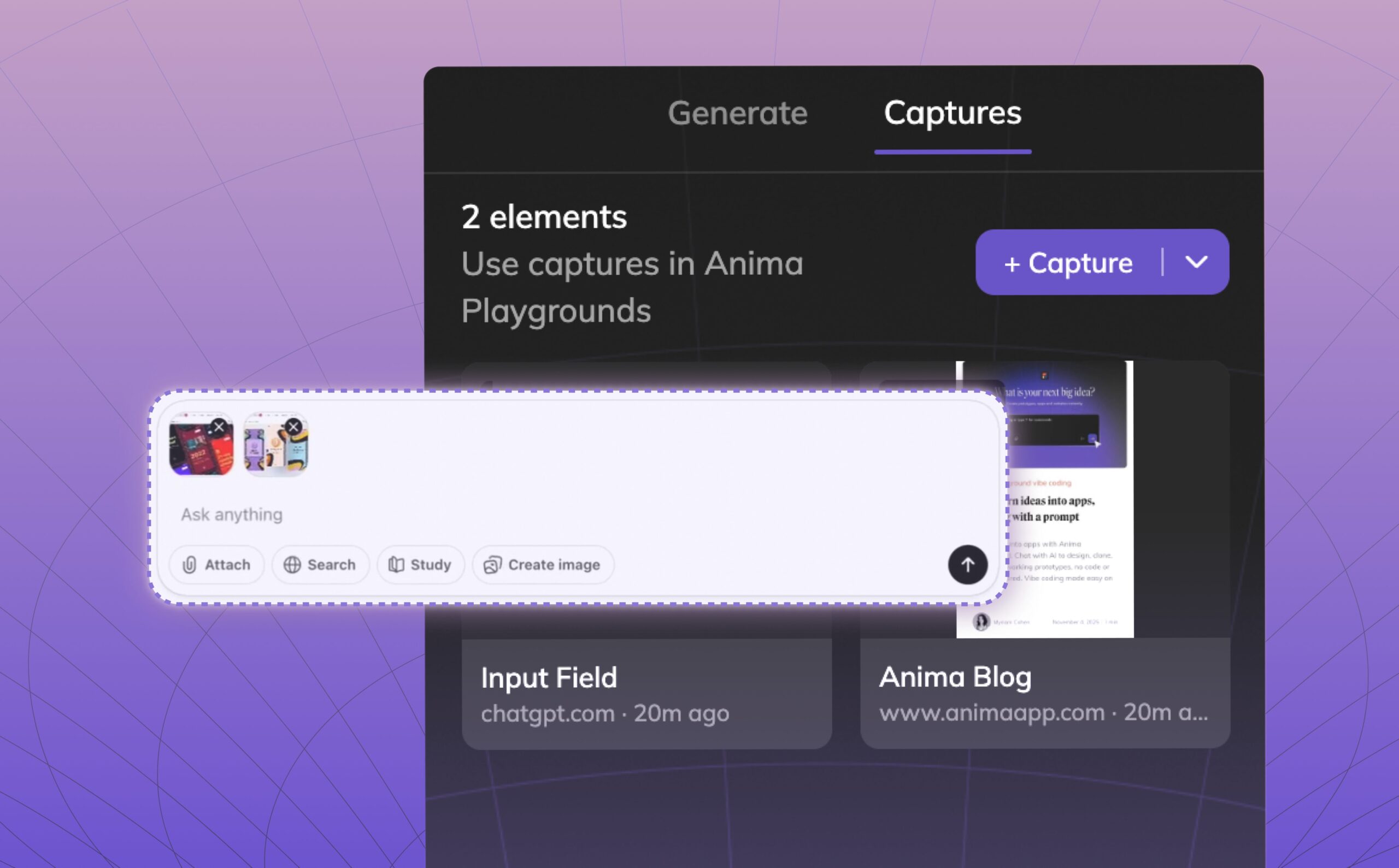
We’re introducing Capture Elements: a powerful feature in the Anima Chrome Extension that lets you capture any visual element from any website and drop it directly into your Anima Playground.
Designers, product managers, and developers can now collect real-world UI patterns and have Anima implement them directly in their projects.
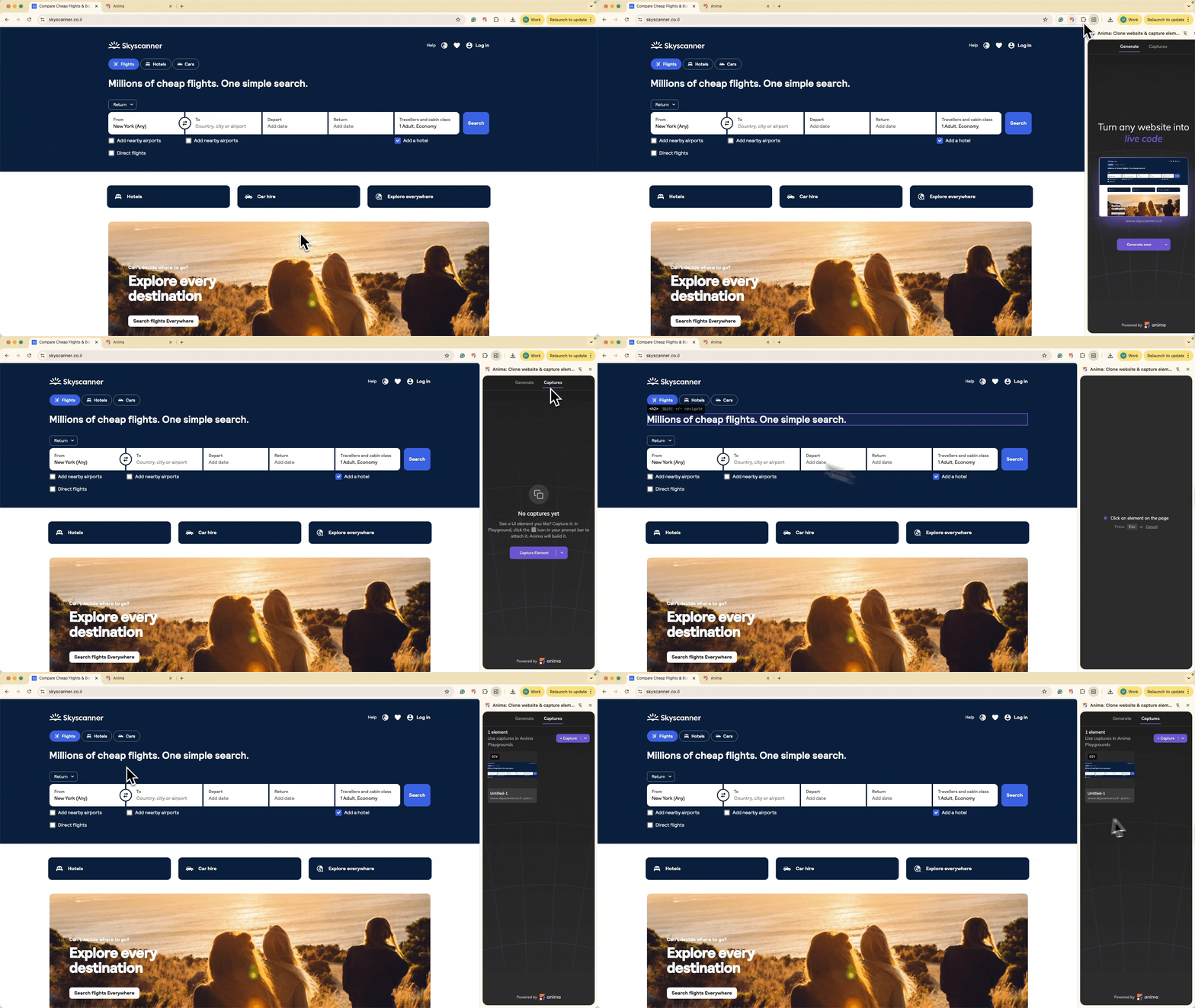
Instead of recreating UI patterns from scratch, you can now bring them in, remix them, and implement them as part of your prototype or vibe coding project, instantly.
Why Use Capture Elements?
Capture Elements allows you to treat any website as a design file you can copy/paste from, letting you build faster and easier than ever.
- Fast prototyping: Grab UI elements that you like instead of long iterations reinventing them.
- Unlimited inspiration: Use the whole web as your design library.
- No design skills needed: As simple as copy-paste.
How Capture Elements Works
- Open the Anima Chrome Extension in your browser.
- Click on the Captures tab and click on +Capture.
- Click on any element from the website that you want to capture.
- Go to your Anima Playground project.
- Click the clipboard button in the chat input.
- Choose the element you captured.
- Add any further instructions in the prompt:
Implement the pricing toggle according to the captured element
. - Send the prompt.
Who is it for
- Product managers — Bring concepts into your prototypes without over-thinking design.
- Designers — Build mood boards from real products.
- Marketers — Remix existing landing pages with highly engaging patterns.
- Founders — Build and ship faster without over-designing every element.
What can you capture
UI components
- Buttons, forms, and input fields
- Cards, modals, and navigation bars
- Tables, charts, and data visualizations
Layout patterns
- Hero sections and feature grids
- Pricing tables and comparison layouts
- Footer structures and sidebar designs
Design properties
- Typography
- Color and spacing
- Borders, effects
From Inspiration to Implementation
Try it now in the Anima Chrome Extension.